
First check you have SQL Server management studio. Latest can be found https://learn.microsoft.com/en-us/ssms/install/install
Download and run.
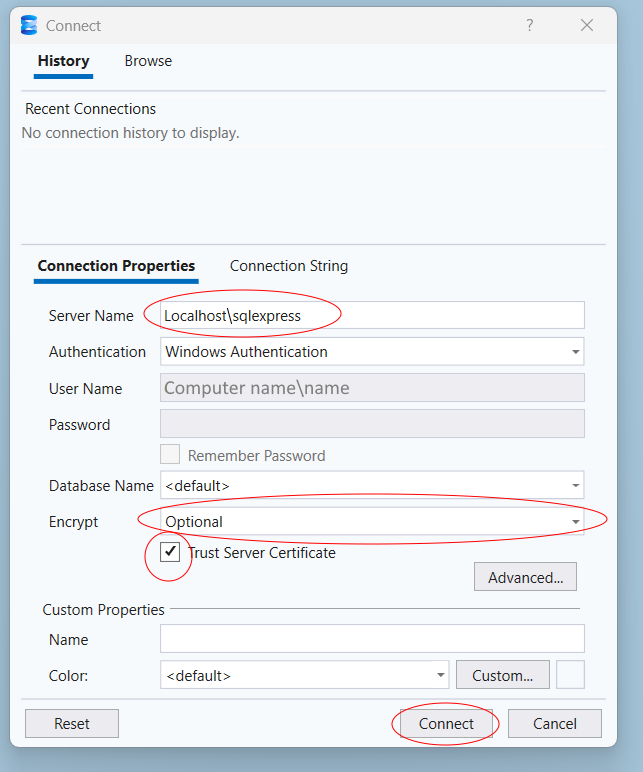
Once run open up SQL Server management studio.
Inser Localhost\sqlexpress
Choose New Query
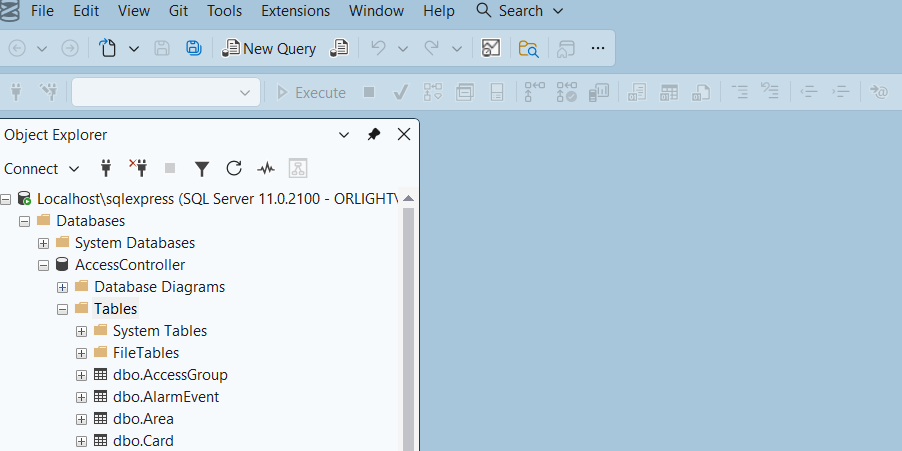
Script 1 - copy and paste text below
-----------------------------------------------------------------------------------
-- JUST RUN THIS AS IS ------------------------------------------------------------
-- IT WILL CHANGE ALL SURNAMES TO THE THEIR RESPECTIVE FLOOR AND BUILDING NUMBER --
-- ENSURE YOU BACKUP ALL TABLES BEFORE PERFORMING THIS ACTION ---------------------
-----------------------------------------------------------------------------------
UPDATE [dbo].[Residents]
SET Surname = ((Rm.FloorNumber * 100) + Rm.RoomNumber)
FROM [dbo].[Residents] Res
INNER JOIN [dbo].[Room] Rm
ON Res.RoomID = Rm.RoomID
WHERE Rm.FloorNumber != -1 and Rm.RoomNumber != -1
--------------------------------------------------------------------------
"Run"
--------------------------------------------------------------------------
Once the above is complete open another New Query page and copy paste below (change where applicable)
---------------------------------------------------------------------
-- UPDATES SCREENS FIRSTNAMES TO ASSIGNED BUILDING NUMBER AND NAME --
-- ENSURE YOU BACKUP ALL TABLES BEFORE PERFORMING THIS ACTION -------
-- On the 3rd line where 'Example Name' insert building name - Example --> 'Alpha house'
---------------------------------------------------------------------
UPDATE [dbo].[Residents]
-- CHANGE THE TEXT IN 'Example Name' TO THE DESIRED BUILDING NAME
SET Surname = 'Example Name'
FROM [dbo].[Residents] Res
INNER JOIN [dbo].[Room] Rm
ON Res.RoomID = Rm.RoomID
-- CHANGE THIS NUMBER TO ASSIGN ALL SCREENS WITH THE SAME NUMBER TO BUILDING NAME
WHERE Rm.BuildingNumber = 1